Features
Everything Tectra does, from opening the model to the progress video.
Models
Open any IFC model
IFC2x3 and IFC4 from Revit, Archicad, Tekla and other tools. Open several models at once and keep them in the project.
- Large models load in the background and stay smooth
- Model tree by storey, type and system, with search by name, type or GlobalId
- Properties pane with all property sets of the selected element
- Models are stored in the company database, so a project reopens in seconds
Schedule
Import your schedule as it is
Bring in the programme from Primavera P6 or MS Project without rebuilding it.
- P6 XER and XML, MS Project XML and CSV
- Activities, WBS, logic, lags, actual dates and percent complete
- Activity codes, calendars, resources and costs come with it
- Re-import every update and keep all links to the model
Auto-link
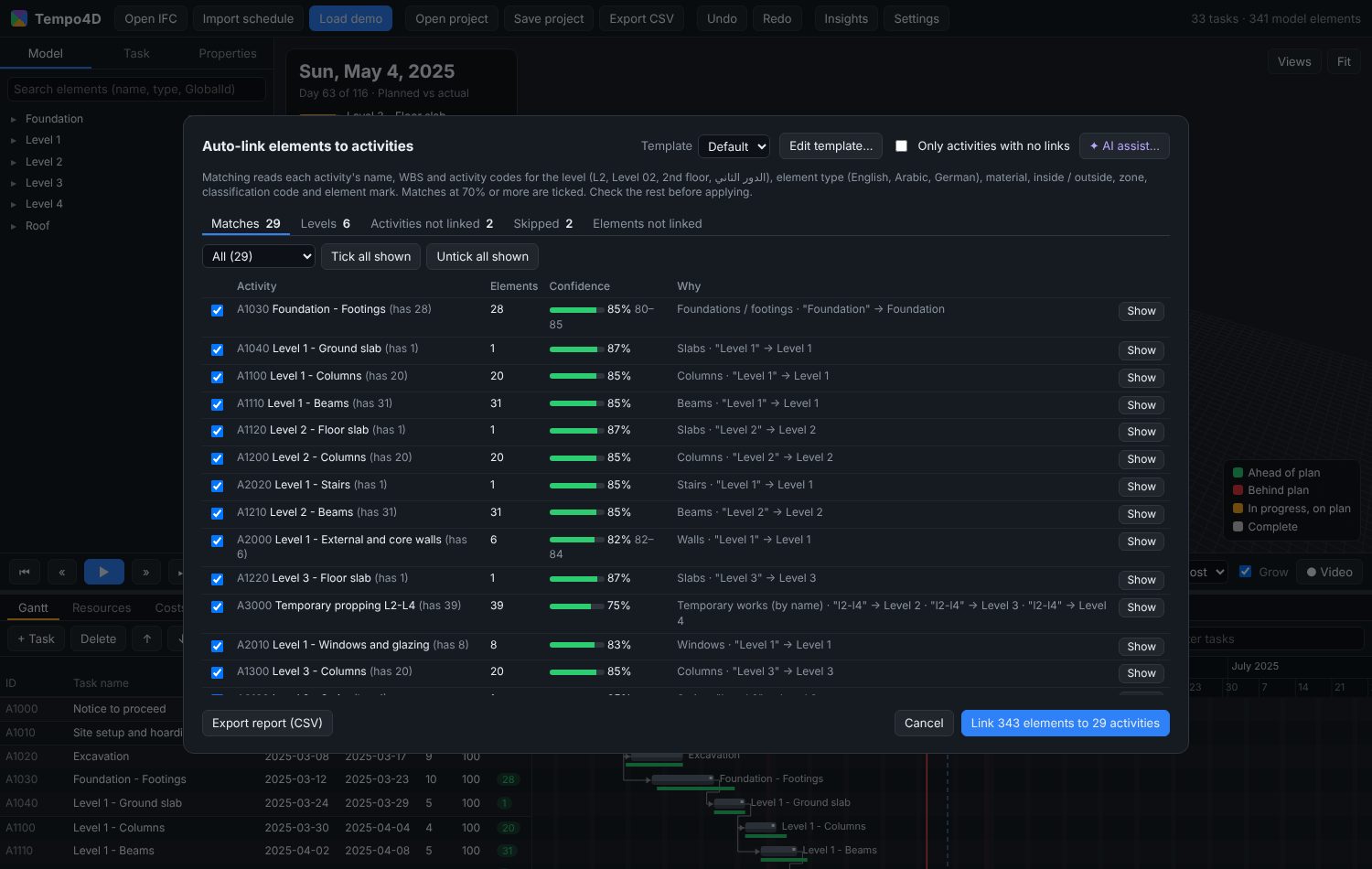
Auto-link that reads real names
Tectra matches activities to model elements the way a planner would, and shows why.
- Matches by level, element type, material, zone, classification code and mark
- Reads English, Arabic and German activity and level names
- A confidence score and the reasons for every match, with a review screen
- Save the rules as a template and reuse them on the next project
- Optional AI suggestions for the activities the rules could not place
4D simulation
Planned, actual and compare
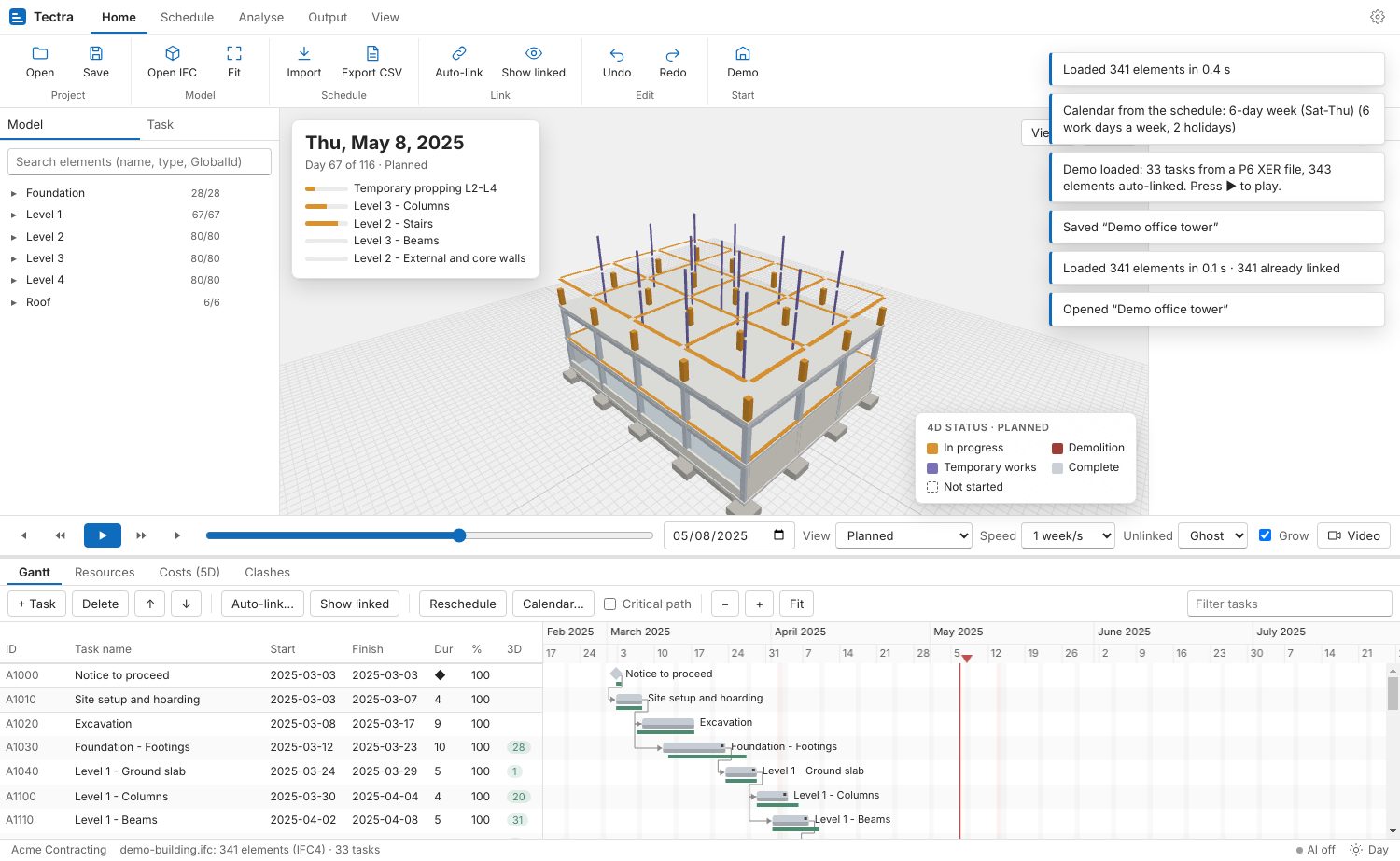
Play the sequence day by day, week by week, or jump to any date.
- Elements grow upward while their activity is in progress
- Planned vs actual colours elements ahead, behind or on plan at the data date
- Demolition and temporary works shown in their own colours
- Hide, ghost or show elements that are not linked
Resources
Resources and crews
See who and what is needed on site, week by week.
- Labour, equipment and materials per activity
- A histogram per resource with its capacity line
- Over-allocation highlighted so you can level the plan
Costs (5D)
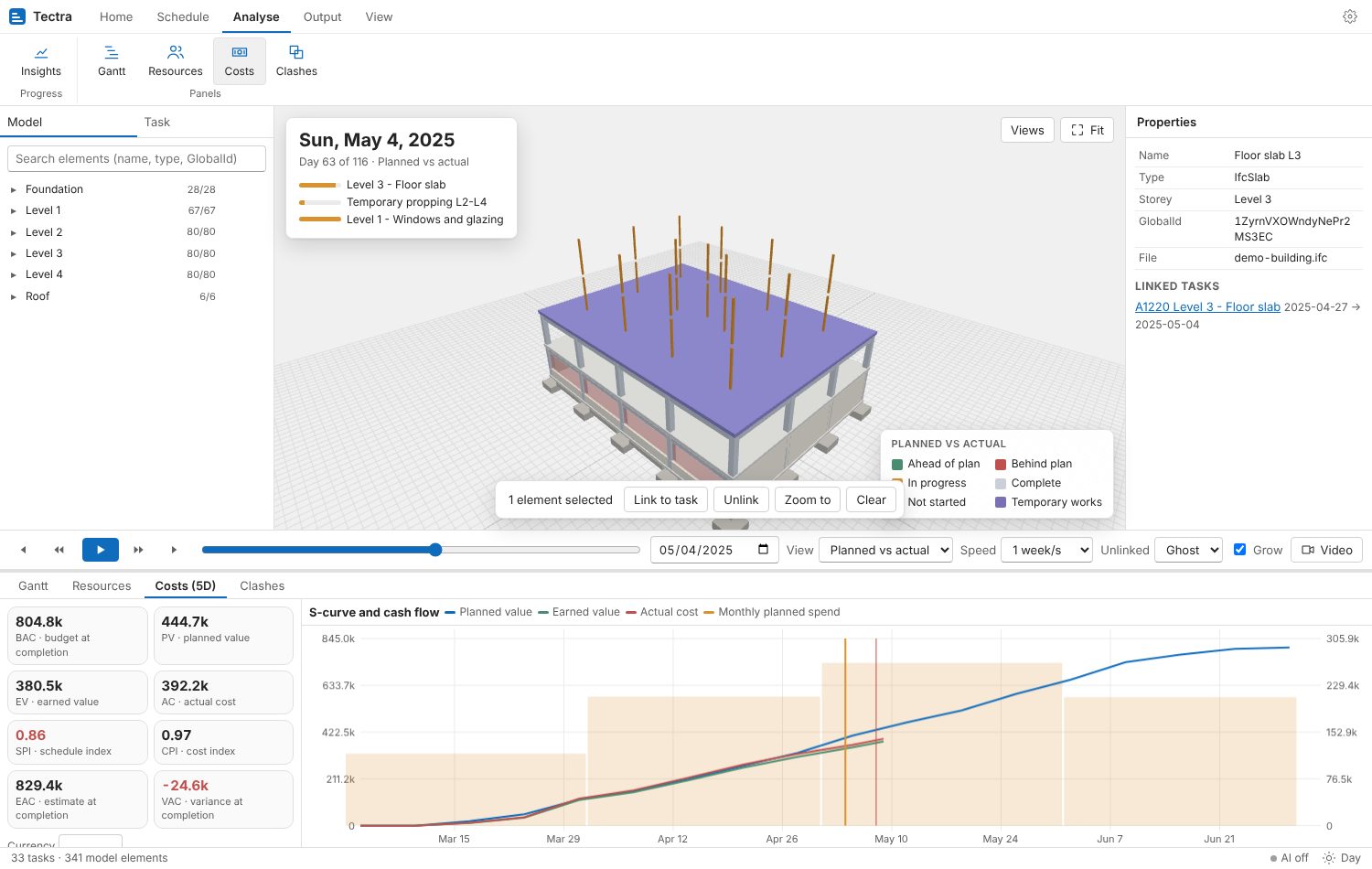
Costs and earned value
Budget, progress and cash flow from the same schedule.
- Budget per activity, planned value, earned value and actual cost
- SPI, CPI, EAC and VAC at any date
- S-curve and monthly cash flow
Clashes
Clashes over time
Find activities that run at the same time in the same space.
- Includes cranes, scaffolds, laydown areas and temporary propping
- Click a clash to jump to its date and zoom to the elements
Video
Video for clients and meetings
Turn the sequence into a clear progress video.
- Saved viewpoints and camera paths
- MP4 in HD, Full HD or 4K
- Date and progress shown on screen
Calendars and logic
Calendars and logic
Plan with the working week your sites actually use.
- Work weeks such as Sunday to Thursday, hours per day and holidays
- FS, SS, FF and SF links with lags
- Critical path and reschedule
Data and AI
Your data stays with your company
Tectra is a desktop app. Nothing is uploaded.
- One local database per company
- AI is optional, with each company using its own Claude key, encrypted on the computer
- A monthly AI limit set by the company
Try Tectra on your next project
Free for Windows and macOS. Includes a demo building with its schedule.